Tell your listeners exactly what's live right now and what's coming up next — show name, DJ, artwork, start and end times, and your full schedule — fully customisable to match your station's brand.
🚀 Get Started — From $4.95/moThe Current Event widget connects directly to your station's timeslot schedule and displays the active show in real time. Visitors see the show name, the DJ hosting it, a custom banner image, and exactly when it started and when it ends. When the show changes, the widget updates automatically — no page reload needed.
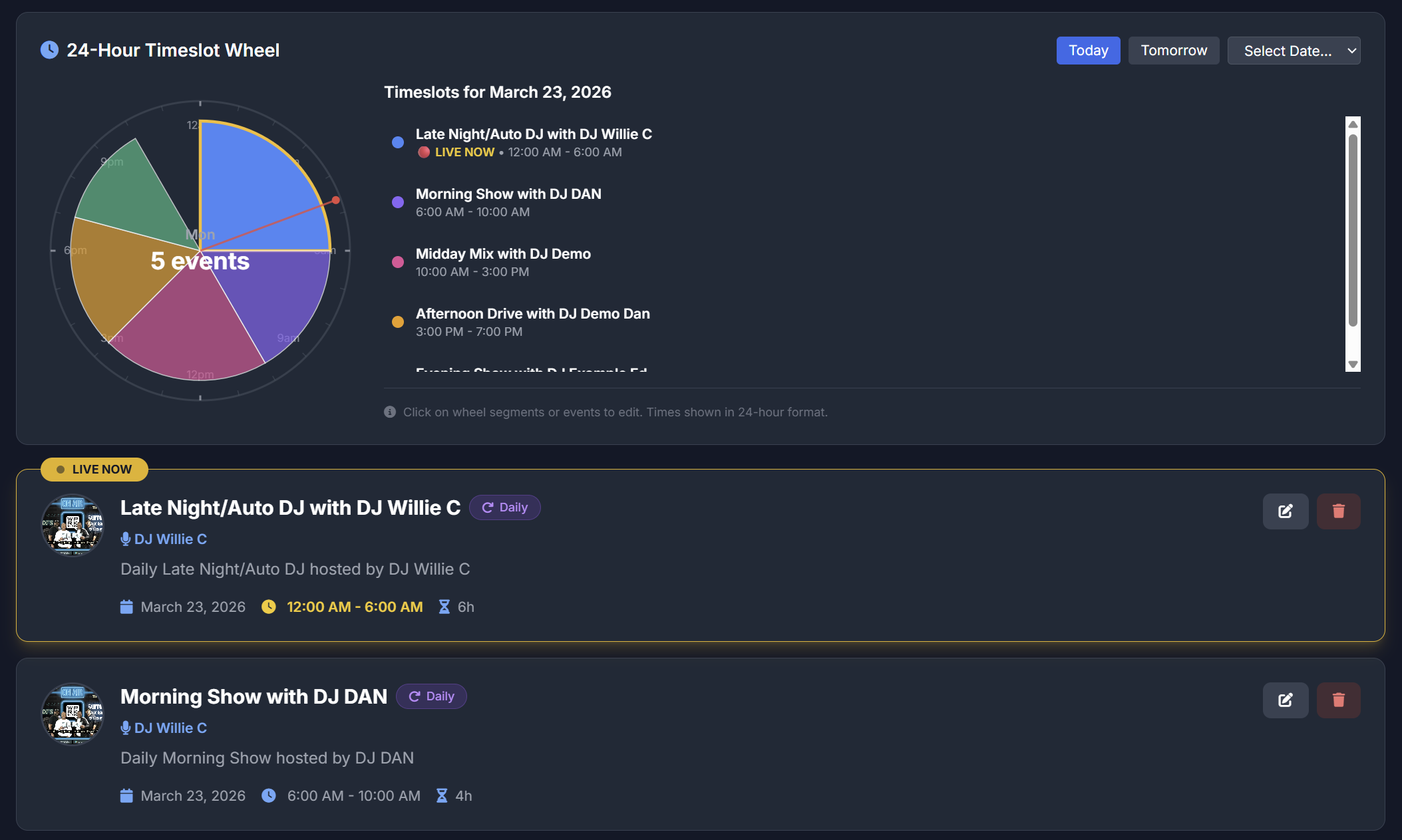
Set up your show schedule in the timeslots panel — add each DJ, show name, artwork, and time block. The widget reads this automatically and always shows the live show.
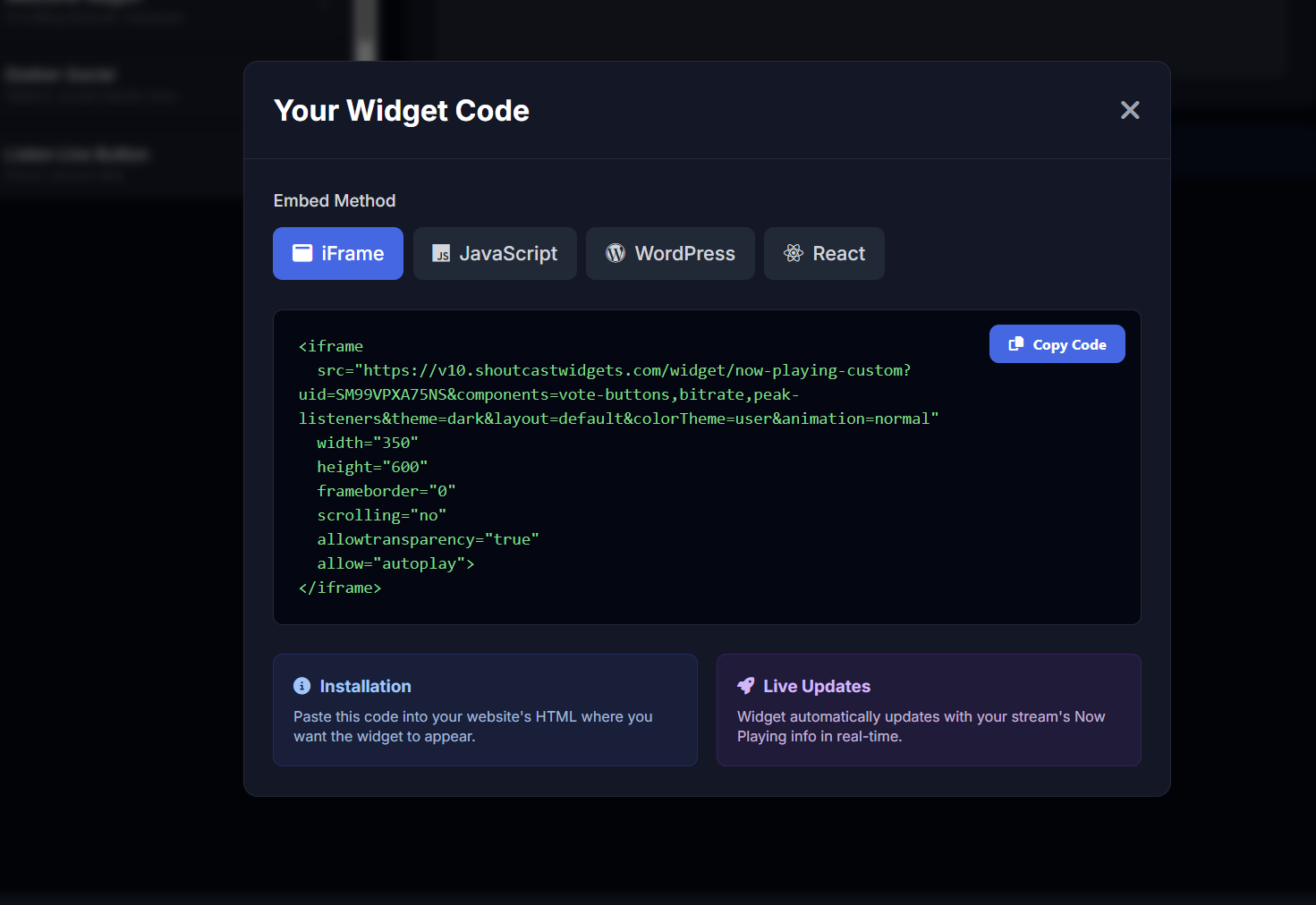
Once your timeslots are configured, open the widget builder, choose your theme and layout, and copy your embed snippet — iFrame, JavaScript, WordPress shortcode, or React. Paste it anywhere on your site and you're live.
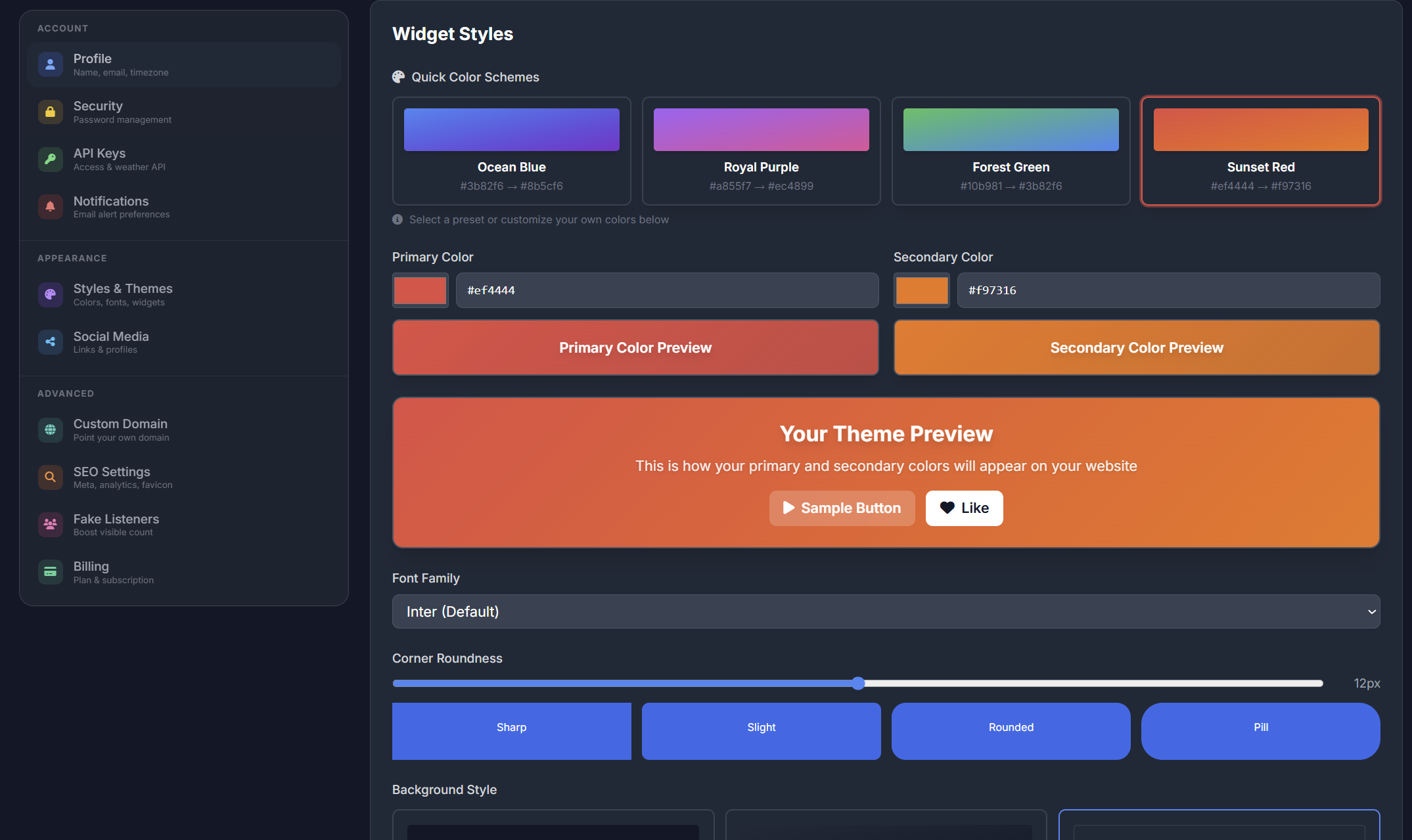
Choose from dark or light widget themes to suit your station website design. The widget looks sharp on any background — from a sleek dark broadcast site to a clean white music blog.
Switch themes, adjust colours, and pick fonts in the widget builder with zero coding required.
Configure your Current Event widget in the builder — choose which fields to show, pick your layout and colours — then copy your personalised embed snippet. Available as iFrame, JavaScript, WordPress shortcode, or React component.
Paste it into any page, blog, or CMS. No coding knowledge needed — if you can copy and paste, you're live.
Keep listeners informed about what's live now, who's hosting, and what's coming up next
Displays the name of the show currently airing on your station, updated automatically when the next timeslot begins.
Shows the name of the DJ or host for the current event so listeners always know who they're tuned in to.
Upload a banner or artwork image for each show. The widget displays the correct artwork for whatever event is currently live.
Shows listeners when the current event started and when it ends — so they know exactly how long to tune in.
Optionally display the next shows in your schedule so listeners can plan ahead and return for their favourite programmes.
The widget switches to the next timeslot automatically when a new show begins — no manual updates or page reloads required.
Pick a dark or light widget theme to complement your site design. Both look great on any device and any background colour.
Scales cleanly to any screen size — desktop, tablet, or mobile — so your show information always looks sharp.
Configure your widget visually and grab the embed snippet — iFrame, JavaScript, WordPress shortcode, or React component.
Set up your show schedule in the timeslots panel — add each event with a name, DJ, artwork, and time block
The widget reads your schedule and automatically displays whichever event is currently active
Show name, DJ, custom artwork, start time, and end time all update as each new event goes live
Optionally display upcoming shows beneath the current event so listeners can plan their listening ahead
Use the widget builder to configure layout, theme, fonts, and which fields to display
Copy your embed snippet — iFrame, JS, WordPress shortcode, or React — and paste it into any page
The Current Event widget is included in every SHOUTcast Widgets plan — no extra cost.
🚀 Get Started — From $4.95/mo View All Widgets