Automatically push live now-playing data to your TuneIn station profile every time a new song plays — reaching 75 million+ monthly TuneIn listeners with real-time track updates from your SHOUTcast or Icecast stream.
🚀 Get Started — From $4.95/moThe TuneIn Radio API integration lives directly inside your SHOUTcast Widgets V10 settings panel. There are no third-party apps to install and no manual update scripts to run — just enter your TuneIn Partner credentials once and your now-playing data is pushed to TuneIn automatically every time a new track plays.
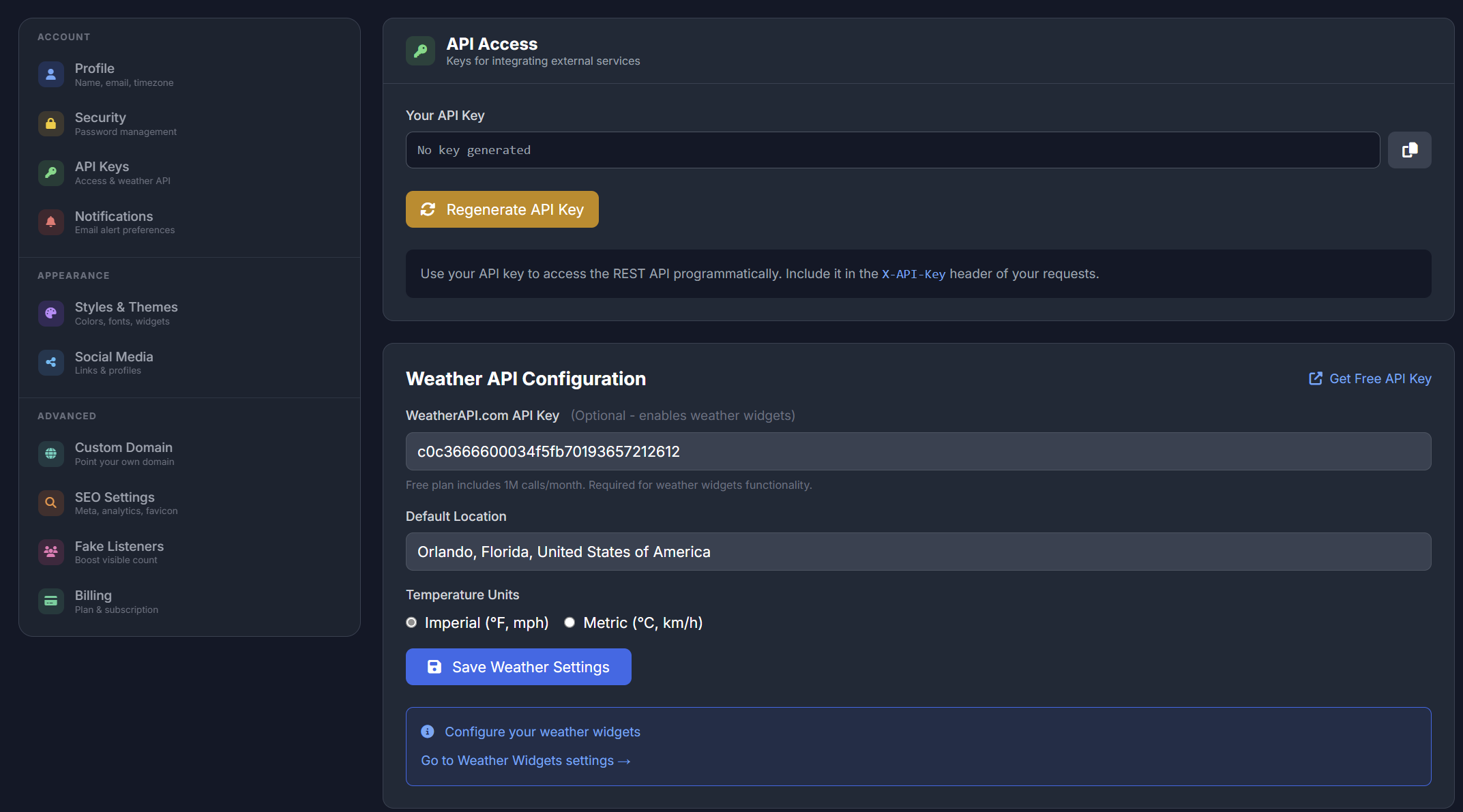
Navigate to the API Keys section of your SHOUTcast Widgets V10 settings. Enter your TuneIn Partner ID and Partner Key — available from your TuneIn broadcaster account — and save. That is the entire setup.
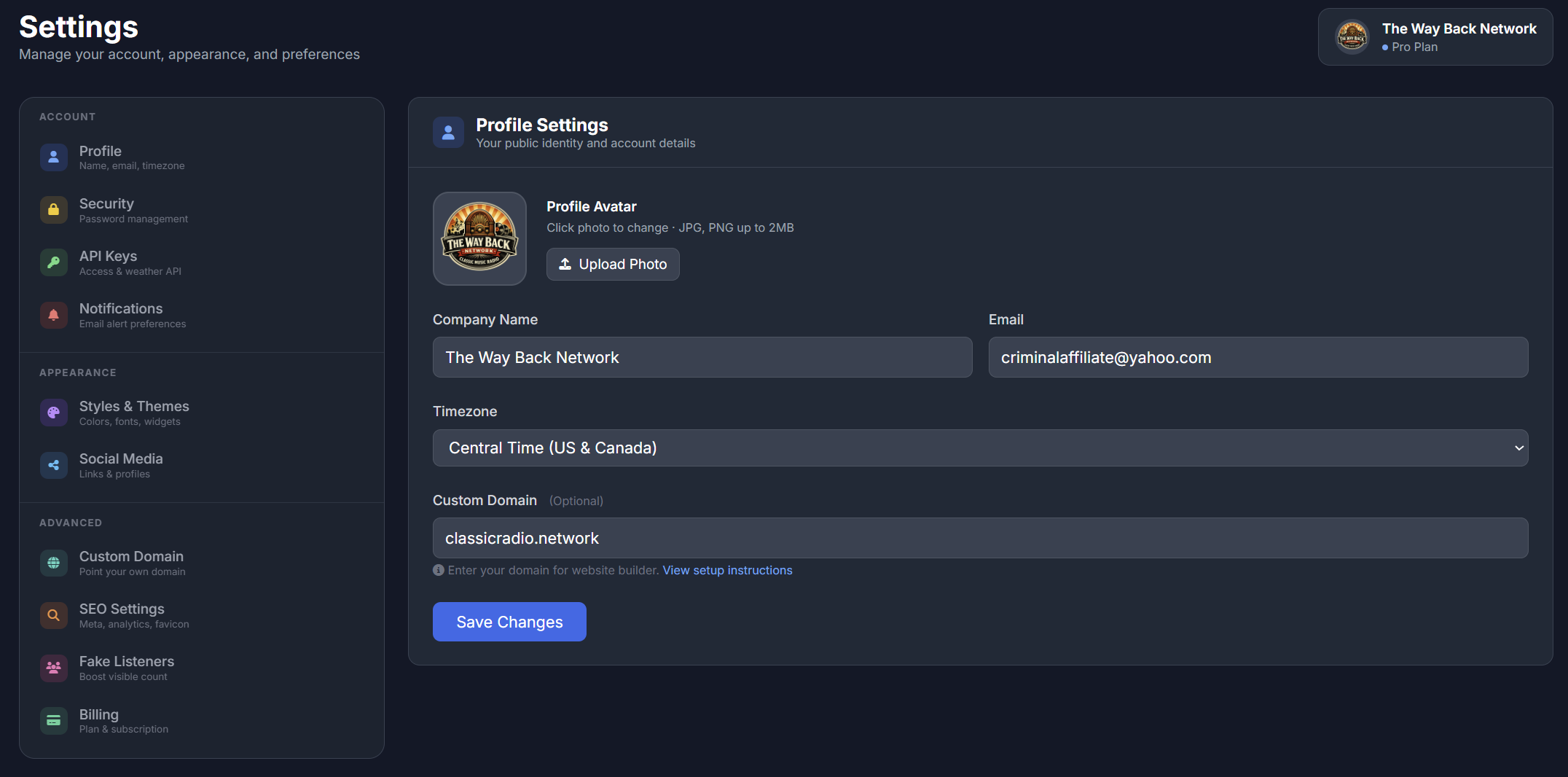
The full settings panel gives you fine-grained control over every integration. Toggle the TuneIn API on or off per stream, set update intervals, and manage all your third-party connections from one place — no server access required.
As soon as a new track starts playing on your stream, SHOUTcast Widgets V10 fires an API call to TuneIn on your behalf. TuneIn updates your station profile in real time, so every listener browsing TuneIn — whether in-app, on the web, or on a connected device — can see exactly what is playing on your station right now.
This now-playing display is a key discovery tool on TuneIn: stations showing live track data attract significantly more click-throughs from casual browsers than stations showing no information.
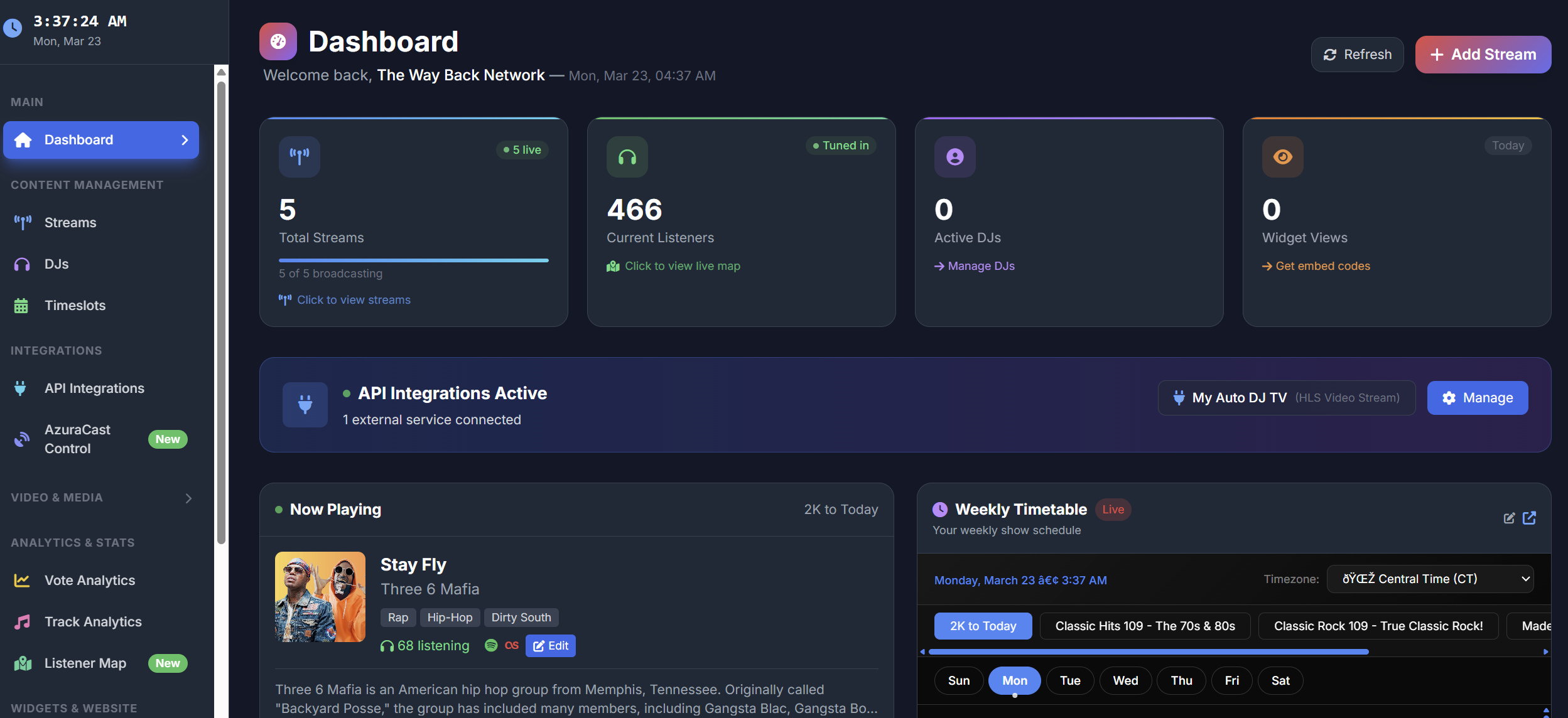
Unlike manual integration scripts that require server configuration and maintenance, the SHOUTcast Widgets TuneIn integration runs entirely from the cloud. There is nothing to install on your streaming server, no cron jobs to set up, and no scripts to maintain.
When you change streams, update your station name, or modify any settings, the integration continues working seamlessly. Works with SHOUTcast and Icecast — all server types supported out of the box.
Automatic now-playing data, zero maintenance, and instant reach to millions of TuneIn listeners
Every track change triggers an instant API update to TuneIn — your station profile always shows the current song, artist, and timing.
SHOUTcast Widgets fires the TuneIn API call on every track change automatically. No manual triggers, no scripts, no server configuration required.
TuneIn Radio has over 75 million monthly active users. Live now-playing data makes your station more discoverable to casual browsers on the platform.
Enter your TuneIn Partner ID and Partner Key once in the settings panel. The integration runs indefinitely from that point — no re-configuration needed.
Full compatibility with both SHOUTcast and Icecast streaming servers. Any stream type supported by SHOUTcast Widgets V10 works with the TuneIn API.
Running multiple streams? Configure TuneIn API credentials per stream, so each of your stations pushes now-playing data to its own TuneIn profile independently.
All API calls are made from SHOUTcast Widgets cloud infrastructure. You do not need FTP, SSH, or any server-side access to enable or manage the integration.
The TuneIn Radio API integration is not an add-on — it is included at no extra cost with every SHOUTcast Widgets V10 plan from day one.
Track changes, DJ switchovers, and stream reconnections are all handled gracefully. TuneIn stays in sync with your live stream at all times.
Register your station on TuneIn by visiting tunein.com/broadcasters and creating a broadcaster account if you do not already have one
Once your TuneIn broadcaster account is approved, locate your Partner ID and Partner Key in your TuneIn broadcaster dashboard
Log in to your SHOUTcast Widgets V10 panel and navigate to Settings → API Keys
Enter your TuneIn Partner ID and Partner Key in the provided fields and save your settings
SHOUTcast Widgets V10 immediately begins sending now-playing updates to TuneIn every time a new track plays on your stream
Check your TuneIn station profile to confirm the live now-playing display is active — it updates within seconds of each track change
TuneIn Radio API integration is included free with every SHOUTcast Widgets V10 plan — no extra cost, no complex setup. Connect once and your now-playing data updates automatically, forever.
🚀 Get Started — From $4.95/mo View The Panel