Standard Player
Play, pause and volume with the current song above the controls.
Every widget below is connected to a real station right now. Switch between dark, light and see-through, try your own colour, then copy the code you need.
Your stream, ready to press play, from a simple button to a full-screen show.
Play, pause and volume with the current song above the controls.
Artwork, a visualizer and recent tracks packed around the play button.
A full-screen stage with a visualizer, lyrics and backgrounds that follow the song.
The bar stretches to the width of your page. Dock it under your header or pin it above the footer so the music keeps playing while people browse.
A branded player with an animated visualizer, as a full-size player or a slim bar.
The song on air, its artist and what played before it, updated by itself.
Photo, biography and releases for whoever is playing, from the Artist Library.
The last songs aired with their play times. Show anywhere from 3 to 50.
Just "Artist - Title" as plain text, ready for your own styling.
Show who is tuned in, where they are and whether you are on air.
A world map with a pin for every listener tuned in right now.
A ticker that greets listeners by the places they are tuning in from.
How many people are listening at this moment, with the peak if you want it.
Shows, hosts and specials pulled straight from the schedule in your panel.
A month view of your events that visitors can page through.
The whole week of shows, refreshing itself as the schedule changes.
A side-scrolling programme guide shown in each visitor's time zone.
A classic seven-day grid of show names and their DJs.
Extras that make the station feel like it belongs to its town.
City and units come from the weather settings in your panel, and both styles use your panel's theme colours.
Current conditions or a multi-day forecast for the city set in your panel.
No widget matches that search.
Widgets work anywhere you can paste HTML: WordPress, Wix, Squarespace, Weebly or a page you built yourself.
Connect AzuraCast, SHOUTcast, Icecast, Centova Cast or MediaCP in your panel. You only do this once.
Pick a widget, choose its look and colours, and watch the preview change as you go.
Copy the code into your site and publish. Later changes in the panel show up without pasting again.
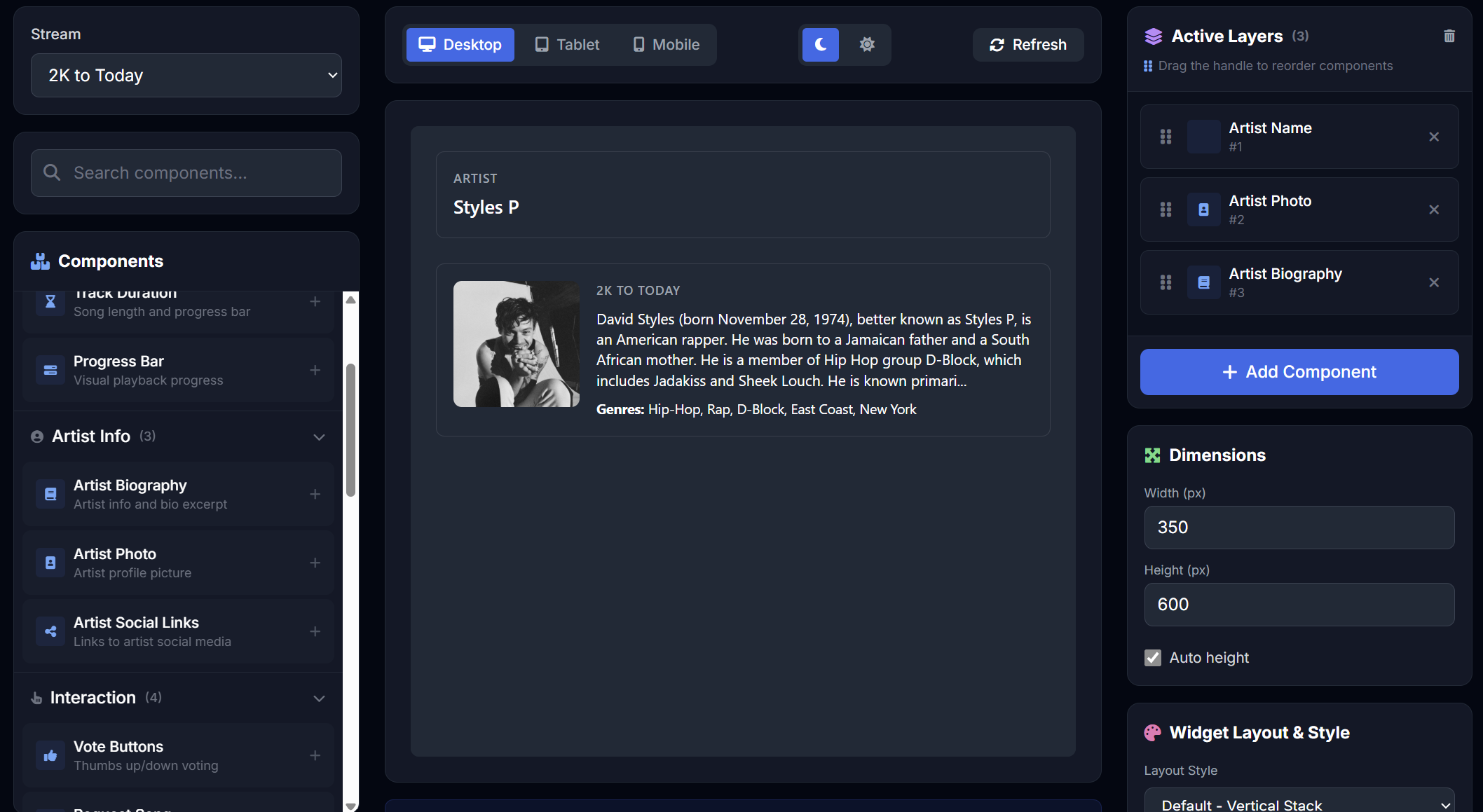
This page shows the basics. Inside your panel, each widget has its own settings on top of theme and colour.
The same subscription runs a whole station website, TV channels and a DJ booth in your browser.
Publish a ready-made theme with these widgets already in place, or let the AI Site Builder lay one out for you.
Browse the themes →Two decks, a ducking mic and effect pads that go live on AzuraCast from a browser tab.
Tour the DJ Studio →Add IPTV-CP or MediaCP channels and run them beside your radio streams with the free Simulcast theme.
See Radio + TV →Just need a play button? The free HTML5 player generator needs no account.
Sign in to your panel, open Widgets, pick one and copy its code. Paste the code into an HTML, Embed or Custom Code block on your site and publish. Your stream is already filled in.
Yes. Each widget refreshes itself every 10 to 30 seconds, so a new song, DJ or listener appears without anyone reloading the page.
AzuraCast, SHOUTcast 1 and 2, Icecast, Centova Cast and MediaCP. Add a stream to your panel once and every widget can use it.
Every widget comes in dark, light and see-through versions with an accent colour of your choice, and the widget builder in your panel adds fonts and layout options on top.
Yes. The widgets resize to fit the space they are given, so the same code works on phones, tablets and desktops.
Any of them. Every plan, from Basic at $4.95 a month, includes all 22 widgets. Plans differ only in how many streams you can add.
From the schedule, events and DJ profiles you set up in your panel. Change a show there and every schedule widget on your site follows within seconds.
All 22 widgets, a station website and the DJ Studio, from $4.95 a month.
Have an account already? Sign in and open Widgets.